 vs
vs

Switch from Calendly in 5 minutes
Connect your Calendly account and TidyCal brings across your event types, upcoming and past bookings, and every contact. Nothing on Calendly is changed. You keep working while it runs.
Free plan with no time limit. No card needed. Unlimited event types from day one.
Want to see every option, not just ours? Read our roundup of the best Calendly alternatives.

Switch to TidyCal if you are a solo pro or a small team that wants people to book and pay. The Free plan has unlimited booking types and payments, and Individual Lifetime is $29 once. Calendly Standard is $10 per seat a month billed yearly. Stay on Calendly if you run inbound sales on Salesforce or HubSpot.
Switching in an afternoon (your part takes 5 minutes)
Create a free TidyCal account
Sign up with Google or email, then open Integrations > Import from Calendly. That is where the importer lives.
Connect Calendly
Log in to Calendly once. TidyCal reads your account and shows you how many event types and bookings it found before anything moves.
Choose what to import and go
Tick event types, upcoming, past and cancelled bookings. Contacts always come with them. Close the tab; TidyCal emails you when it is done.


Large accounts take longer than five minutes to finish importing because Calendly limits how fast its data can be read. Your part is still five minutes.
Read the full migration guide: every step, every setting, and what to do with your old links →
What comes across
- Event types, with their availability and custom questions, as TidyCal booking types
- Upcoming bookings: invitee name, email, timezone, answers, guests and meeting link
- Past bookings, imported as completed so your history stays intact
- Cancelled bookings, with the reason where Calendly recorded one
- Every contact attached to those bookings, matched by email so nobody is duplicated
- Optional sync: reschedules and cancellations made through old Calendly links show up in TidyCal within about 15 minutes
What you set up again
- Calendar connections (Google, Outlook, iCloud). Reconnect them in TidyCal; it takes a minute each
- Payment processing. Connect Stripe or PayPal to charge for bookings; paid bookings are included on the Free plan
- Workflows and reminder emails. TidyCal has its own reminders, so turn Calendly's off before switching TidyCal's on or invitees get two of everything
- Your booking link in your signature, website and social profiles, when you are ready
Why people switch from Calendly
The free plan is one event type
Most people need at least two: a short intro call and a longer session. On Calendly the second one means a paid seat.
Payments, packages and coupons start on Standard
Standard is $10 per seat per month billed yearly, or $12 month to month. On TidyCal all three are on the Free plan.
Round robin starts on Teams
Teams is $16 per seat per month billed yearly ($20 monthly). A team of 5 is $960 a year.
There is no one-time plan
Calendly lists Free, Standard, Teams and Enterprise, all billed per seat. Nothing you pay for once.
Source: calendly.com/pricing, checked October 20, 2026. Prices change; check before you buy.
TidyCal vs Calendly features
Where each feature lives. Most of what Calendly puts on paid seats is on TidyCal's Free plan.
| Feature |
|
|
|---|---|---|
| Booking types on the free plan | Unlimited | 1 event type |
| Paid bookings (Stripe, PayPal) | Free plan | Standard and up |
| Session packages | Free plan | Standard and up |
| Discount codes | Free plan | Standard and up |
| Subscriptions with recurring billing | Free plan | Not listed on the pricing page |
| Group sessions | Free plan | Standard and up |
| Round robin | Agency Lifetime and Pro | Teams and up |
| Automated reminders | Email on every plan; text (US and Canada) on Agency Lifetime and Pro | Standard and up |
| Remove branding | Pro (reduced branding on Lifetime plans) | Standard and up |
| Calendar connections | 1 on Free, 10 on Lifetime plans, unlimited on Pro | 1 on Free, 6 on paid plans |
| Zoom, Google Meet, Teams links | Lifetime and Pro plans | Every plan |
| Routing forms, Salesforce | Not offered | Teams and up |
| One-time lifetime plan | Yes, from $29 | No, subscription only |
Plan names are each company's own. Checked against their public pricing pages in September 2026; features change, so check before you buy.
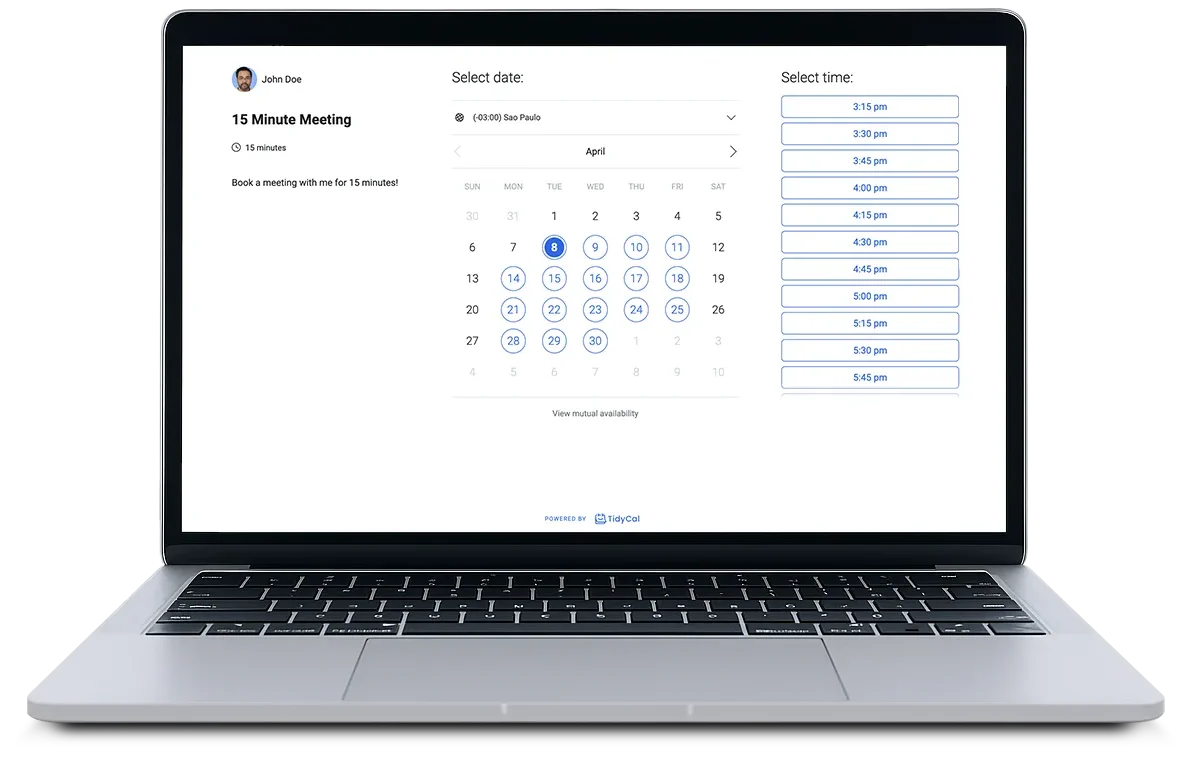
TidyCal vs Calendly pricing
Calendly charges per seat. TidyCal never does.
| TidyCal | Calendly | |
|---|---|---|
| Free plan | Unlimited event types, unlimited bookings, paid bookings, recurring and package bookings, your own booking page | 1 event type, 1 calendar connection |
| Paid plan, one person | Pro: $8.25/mo billed annually ($99/yr), or $29 one time (Individual Lifetime) | Standard: $10/seat/mo billed annually, $12 monthly |
| Team of 5 with round robin | Pro at $99/yr, no seat fees. Agency Lifetime ($79 once) covers up to 4 people | Teams: $16/seat/mo billed annually = $960/yr |
| Calendar connections | 1 on Free, 10 on Lifetime plans, unlimited on Pro | 1 on Free, more on paid plans |
| Zoom, Google Meet, Teams links | Auto-created on Lifetime and Pro | Included |
| Import from the other tool | Yes, from Calendly, in the app | No import from TidyCal |
Calendly prices from calendly.com/pricing, annual billing, checked October 2026. TidyCal prices on the pricing page. A one-person Calendly Standard seat costs about $120 a year; TidyCal Individual Lifetime is $29 once.
What three years costs
Calendly bills you every month or every year, for every seat. TidyCal lets you pay once.
| TidyCal | Calendly | |
|---|---|---|
| One person | $0 on Free. $29 once for Individual Lifetime. $297 for three years of Pro billed yearly | $360 on Standard billed yearly, or $432 billed monthly |
| Team of 5 with round robin | $297 for three years of Pro, no seat fees | $2,880 on Teams billed yearly, or $3,600 billed monthly |
Calendly list prices from calendly.com/pricing as of October 2026, before tax. TidyCal prices from the pricing page.
Does Calendly have a lifetime deal?
No. Calendly is subscription only. Its pricing page lists Free, Standard, Teams and Enterprise, all billed monthly or yearly per seat. There is no one-time plan.
TidyCal has one. Individual Lifetime is $29 once and Agency Lifetime is $79 once, both sold through AppSumo. You pay one time and keep the plan. If you would rather pay as you go, Pro is $12 a month or $99 a year.
When Calendly is the better pick
We would rather you pick the right tool than switch and regret it.
- You run inbound sales on Salesforce or HubSpot. Calendly's routing forms and CRM routing (Teams and up) are a real strength. TidyCal does not have routing forms or Salesforce.
- You want built-in video links on a free plan. Calendly adds Zoom, Google Meet and Teams links on every plan. TidyCal creates them on the Lifetime and Pro plans.
- You have 50+ people and need SSO and SCIM. That is Calendly Enterprise territory. TidyCal does not offer SSO.
Who switches, and why
Coaches and consultants
Paid bookings, packages and recurring sessions are on the Free plan. On Calendly, payment collection starts on Standard.
Agencies and small teams
Round robin and collective bookings without paying per seat. Add a teammate and the price stays the same.
Anyone tired of the monthly bill
Pay once, use it forever. The lifetime plans have been on AppSumo since 2020 and are still supported and updated.
Questions before you switch
How long does it take to switch from Calendly to TidyCal?
About five minutes of your time. You create a free TidyCal account, connect your Calendly account, and choose what to import. TidyCal does the rest in the background and can email you when it finishes. Small accounts finish in minutes; an account with thousands of past bookings can take longer because Calendly limits how quickly its data can be read.
What gets imported from Calendly?
Event types (as TidyCal booking types, with their availability and custom questions), upcoming bookings, past bookings, cancelled bookings, and every contact attached to those bookings. Nothing on your Calendly account is changed or deleted.
Will my existing Calendly bookings still work after I switch?
Yes. Imported bookings keep the invitee name, email, timezone, answers, guests and meeting link. You can also keep the connection in sync, so if someone reschedules or cancels through an old Calendly link, TidyCal updates within about 15 minutes.
Is TidyCal really free?
Yes. The Free plan includes unlimited bookings, unlimited booking types, paid bookings, recurring and package bookings, and your own booking page. Calendly's free plan is limited to one event type and one calendar connection.
How much does TidyCal cost compared to Calendly?
Calendly Standard is $10 per seat per month billed annually and Teams is $16 per seat per month. TidyCal Pro is $8.25 per month billed annually ($99 per year), or a one-time lifetime plan for $29 (Individual) or $79 (Agency) through AppSumo. TidyCal never charges per seat.
Does Calendly have a lifetime deal?
No. Calendly is subscription only, billed monthly or yearly per seat. TidyCal offers a one-time lifetime plan: $29 for Individual Lifetime or $79 for Agency Lifetime, through AppSumo.
Does TidyCal have round robin and team scheduling like Calendly Teams?
Yes. Round robin, collective (group) bookings and team booking pages are included on the Agency lifetime plan and on Pro, without per-seat pricing.
Do I need to tell my clients I moved?
Not right away. Old Calendly links keep working on Calendly's side, and with sync on, TidyCal follows any changes made there. Update the booking link in your email signature, website and social profiles when you are ready, and turn off Calendly's own reminders so invitees do not get two of everything.
Can I import from Calendly if I already have a TidyCal account?
Yes. Go to Integrations, connect Calendly, and choose what to import. Running the import again later is safe: anything already brought across is updated, never duplicated.
Also compared: Cal.com, Acuity, Zoho Bookings, SavvyCal.
Good and not so good, on both sides
I make TidyCal, so it's listed first. Each tool below says what it does better than us.
01
Best value
Best for: solo pros who charge for their time
- Price
- Free plan. Individual Lifetime is $29 once. Pro is $12 a month or $99 a year.
I built TidyCal for coaches, consultants and tutors who want people to book and pay without a monthly bill. The Free plan has unlimited booking types and takes payment through Stripe or PayPal, with packages, subscriptions and discount codes included. It is not a sales-team router. If you run inbound sales on Salesforce, Calendly is the better pick.
Good
- Unlimited booking types and paid bookings on the Free plan
- Pay once: Individual Lifetime $29, Agency Lifetime $79 for up to 4 people
- Imports Calendly event types, bookings and contacts
Not so good
- Free and Lifetime plans pay a 1% platform fee on Stripe bookings. Pro does not
- No routing forms and no Salesforce
- Text reminders (US and Canada) need Agency Lifetime or Pro
- Automatic Zoom, Meet and Teams links need a Lifetime or Pro plan
- Round robin and a team page need Agency Lifetime or Pro
02
Best for: sales teams on Salesforce or HubSpot
- Price
- $10 per seat a month on Standard, billed yearly ($12 monthly). The free plan is one event type.
Calendly is good software and the name most of your clients already know. It pulls ahead on sales: routing forms and CRM routing on Teams and up. It hurts on the bill. The free plan is one event type, and payments start on Standard, per seat.
Good
- Routing forms and Salesforce or HubSpot routing (Teams and up)
- Zoom, Google Meet and Teams links on every plan
- SSO and SCIM on Enterprise
Not so good
- The free plan allows one event type
- Payments, packages and coupons start on Standard
- Round robin needs Teams at $16 per seat a month, billed yearly
- No one-time plan
How we checked
Every competitor price comes from that company's own pricing page, read on September 30, 2026, at the billing period shown next to it. Tools with no published price we could verify carry no dollar figure. The ranking is for a solo pro or small team choosing between TidyCal and Calendly. Nobody paid to be on this list. TidyCal's prices come straight from the plans we sell, so they match what you will pay, and the 1% platform fee on Stripe bookings is the live rate.
Keep reading
- How to migrate from Calendly to TidyCal, step by step
- TidyCal vs Calendly: the full side-by-side
- Best Calendly alternatives (free and paid)
- Calendly pricing explained
- All TidyCal comparisons
- What TidyCal is, in 30 seconds
- TidyCal pricing: Free, Lifetime and Pro
- The free appointment scheduler
- Help Center: What is TidyCal?
- Help Center: TidyCal FAQ
Bring your Calendly account over now
Five minutes of your time. Your bookings, contacts and event types come with you.
Start your importFree plan, no credit card, nothing on Calendly is changed
All trademarks and logos belong to their respective owners. Used for comparison only.